Pay as you go
One scene?
Start with piments.
Top up your wallet once. Use piments when you want. No subscription required.
Create from 519 piments ↗18+ · Photo to dance clip
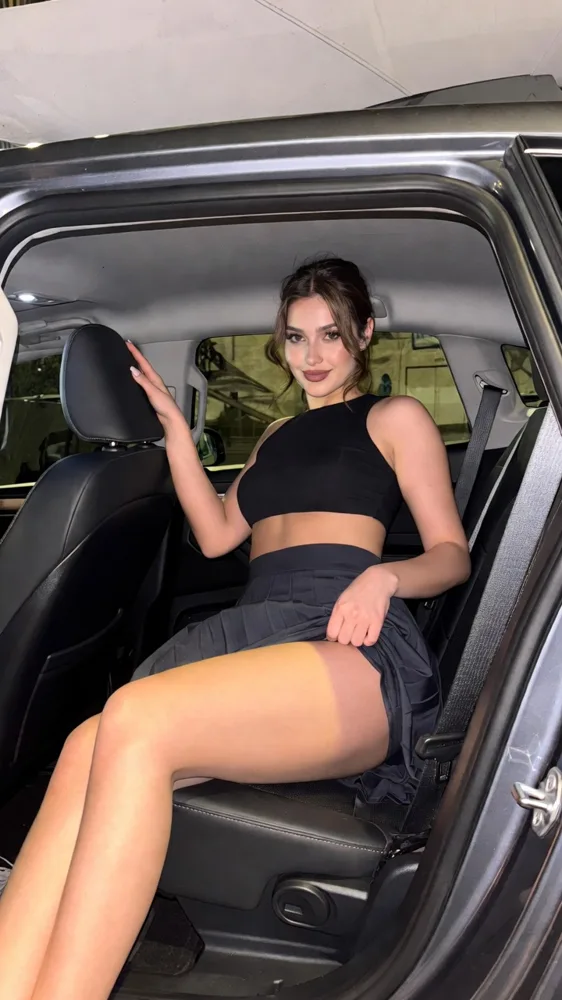
Neonyx is an AI dance video generator that works from a photo, not a dance video: upload one picture, describe the move in a sentence, and Seedance 2.5 makes a vertical 5, 10 or 30-second clip of a slow hip sway, a hair whip or a spin under club light, with ambient sound. Made for after midnight, 18+ only, never explicit.
Select one or more models for a duo or group video. Describe who appears in your prompt.
Type @ to mention an image in your scene.
Choose an idea to add it. Your existing text is kept.
If generation fails, you get refunded.
One payment, no subscription required. Piments are deducted once and your balance is saved to your account. Guest videos are never added to a library; previously saved files can be deleted in Settings.
Generated with Seedance 2.5 by ByteDance: strong face, outfit and style consistency with your reference photos.
Upload your references, describe the scene and choose your length. Your clip appears right here.
Your videos will appear here after checkout or generation. Keep creating while they render.
Signed-in orders are available across devices. Guest orders need this browser’s session. Rendering time varies; no fixed countdown is promised.
Many dance generators copy motion from a clip you upload. This one reads your photo and your words instead. The upside is freedom: nothing to film, no template to hunt for, and the dance can happen anywhere, from a packed floor to a rooftop at 4 a.m. The trade-off is precision: you direct the feel, not a beat-by-beat routine.
So write like a choreographer giving a note, not a manual: one move, how fast, where the eyes go, where the camera goes. “Slow hip sway, then a turn and a look back” beats a list of eight steps every time.
One render is one continuous shot. A longer clip gives the move room, and gives the model more time to drift.
| Length | What fits | Watch out for |
|---|---|---|
| 5 seconds | One move and a pose: a hair whip, a sway, a look back | Several moves crammed in look rushed |
| 10 seconds | A move, a turn and a finish to camera | Turns invent the back of the outfit: keep them slow |
| 30 seconds | A slow groove with the camera circling | Faces and outfits can drift; repeat the key details |
For Reels and TikTok, two or three short clips cut together usually beat one long render.
The dancer’s photo becomes @Image 1, a partner who agreed @Image 2. Every style starts well at $5.19.
@Image 1 sways the hips in a slow figure eight with the hands resting on the waist, then lifts one arm above the head, electric blue light from one side, static knee-up frame, room echo.
The easiest groove to hold from any standing photo.
@Image 1 drops the head forward and whips the hair back in one fluid motion, eyes landing on the camera, a white strobe pulsing slowly, tight medium shot, cheering crowd.
Loose, long hair in the photo helps.
@Image 1 shimmies the shoulders in quick little bursts, laughs, then points at the camera, a pink neon bar glowing behind, handheld energy, chatter and clinking glasses.
Playful rather than slow: keep it short.
@Image 1 in a sequin mini dress does one slow spin, the dress catching mirror-ball sparkles, and ends facing the camera with a raised eyebrow, locked full-body frame, murmuring crowd.
One spin, not three: speed breaks faces.
@Image 1 and @Image 2 dance face to face, one leading the other into a slow turn, both laughing, magenta haze and a single moving spotlight, wide shot, crowd noise.
Two faces to hold: plan one extra test.
@Image 1 freestyles on a rooftop at 4 a.m. with loose arms and an easy bounce, city lights blurring behind, wind in the hair, slow side tracking shot, distant traffic.
A moving camera adds energy without a faster dance.
The clip comes with native ambient sound: crowd, room echo, heels on concrete. No music and no song upload, which turns out to be useful: you choose the track afterwards and the clip never fights it.
In your editor, lay a licensed track under the video, find the strongest motion, the hair whip or the end of a spin, and slide the clip until that frame lands on a beat. Keep the ambient sound low under the music for a live-room feel.
Specific moves have their own pages: the AI body wave video for a slow roll from chest to hips, the AI pole dance video for spins and arches, and the go-go dancer AI video for podium energy.
Upload, describe, render; the price appears on the button first.
Standing, arms visible, feet in frame: you, an adult who agreed, or a fictional adult model from the library.
Style, speed, where the eyes go, one camera move, the light and the room. Or load a style above.
Five seconds in Medium 480p first. When the move holds, render 10 seconds in High 720p ($11.69) or Ultra High 1080p.
Fixed per clip by length and quality, solo or duo. Pay by card, or with piments at 100 piments = $1.
| Length | Medium · 480p | High · 720p | Ultra High · 1080p |
|---|---|---|---|
| 5 seconds | $5.19 | $6.49 | $15.59 |
| 10 seconds | $6.49 | $11.69 | $31.19 |
| 30 seconds | $15.59 | $32.49 | $92.29 |
Every clip follows the terms of use.
You confirm rights and consent before every render; one person’s yes does not cover the others in a photo.
No. The studio takes images only, so there is no motion transfer. Describe the move instead; a sentence about the feel of the dance works better than a step list.
Slow, grounded ones: a hip sway, a body wave, a hair whip, a single slow spin, a look back over the shoulder. Jumps, flips and fast footwork are where limbs blur.
Yes, with a photo of each as @Image 1 and @Image 2, or one photo of both, each an adult who said yes. Simple moves, danced close, hold up best.
Build it from several short clips with the same photo, light and camera words, then cut them together on the beat. A single 30-second render is one shot and can wander.
Minutes. Watch it in the studio and download the MP4; as a guest, the link stays valid for 24 hours after it is done.
Club-hot: slow hips, a stare held through the haze, sweat on the shoulders, a tight dress. Never explicit: nudity and sex acts are against the terms and can be refused by the video provider’s checks.
Updated · Terms · Privacy · Data controls
Pay for the night
100 piments = $1. Weekly plans keep the same video prices and give you 25% more piments.
Top up your wallet once. Use piments when you want. No subscription required.
Create from 519 piments ↗Automatically renews every week. Cancel anytime before renewal. Unused piments stay available. Piments use the same published video prices. The 20% comparison is rounded to the nearest cent.
18+ · Adults only
You must be 18 or older to enter. Use only images you own or have permission to transform, featuring adult subjects and, for identifiable real people, their consent. Deepfakes of real people without their consent are strictly forbidden.
Privacy · Terms of use